Here is a project where I converted this beautiful hand-painted bottle into a finished product image. Here were the instructions:
Fill the bottle.
Add the cap from the last photoshoot.
Fix the artwork as attached. A line is missing on one of the chili peppers.
Do not show the labeling on the back of the bottle on the front.
We need one bottle with our Olio Nuovo dot, too.
We need it ASAP for a magazine article.
I rigged a custom setup to shoot the bottle in a single take, then completed the rest of the tasks in Photoshop.
Use the slider to slide back and forth and see the before-and-after!
Why the custom setup mattered
The bottle was hand-painted, so every brushstroke had to stay sharp and true. Shooting it in a single take kept the artwork, glass and highlights consistent before any retouching began.
What the retouch covered
Filling the bottle, swapping in the cap from the previous shoot, repairing the missing line on the chili pepper, hiding the back label that showed through the glass, and making a second version with the Olio Nuovo dot, all on a magazine deadline.
Good to know
If you have an existing product image you need to match, send it along. I can match the angle, cap and color so the new image fits your current set.
See more of my retouching services and CPG photography, or book a free call to plan your shoot.
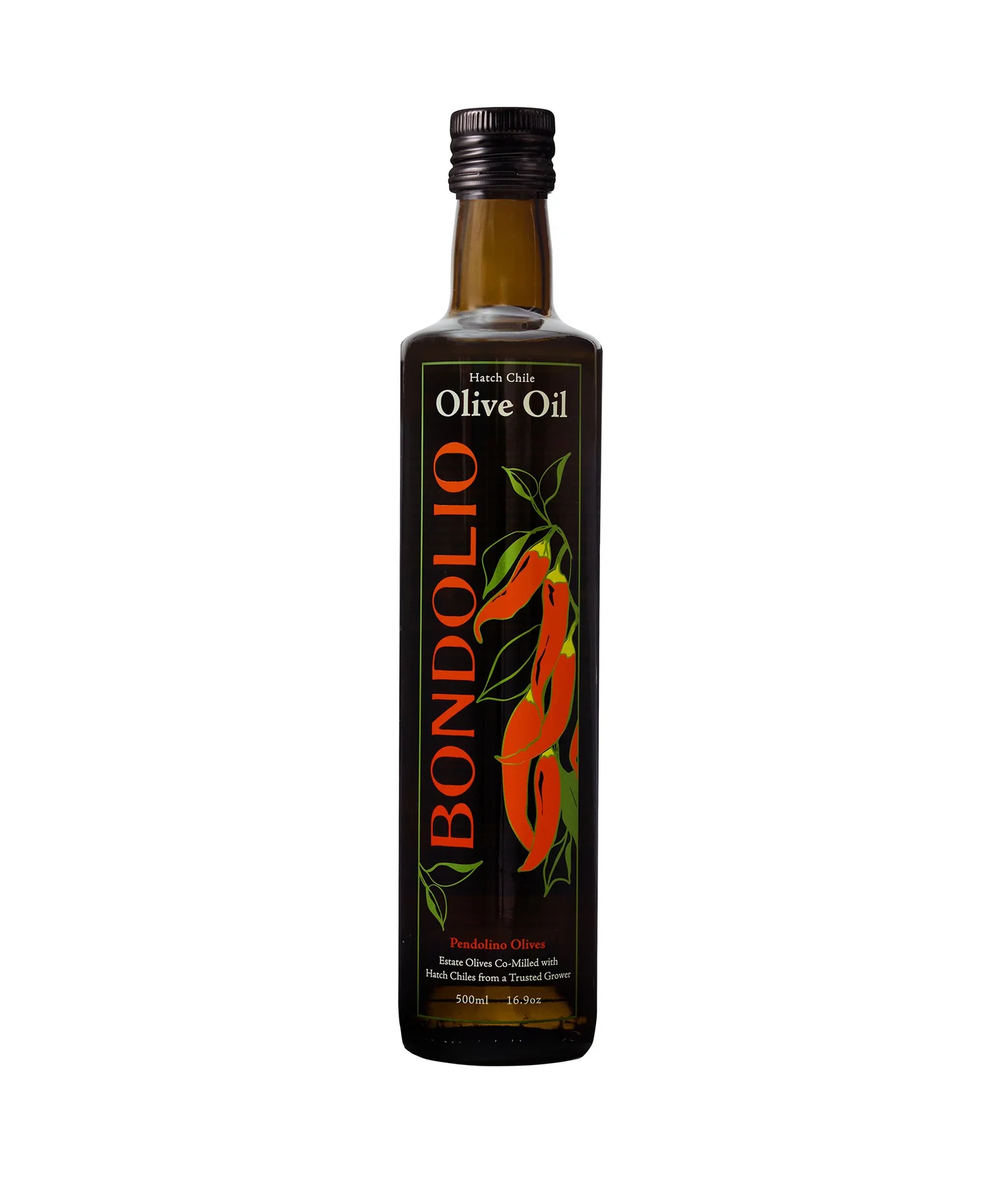
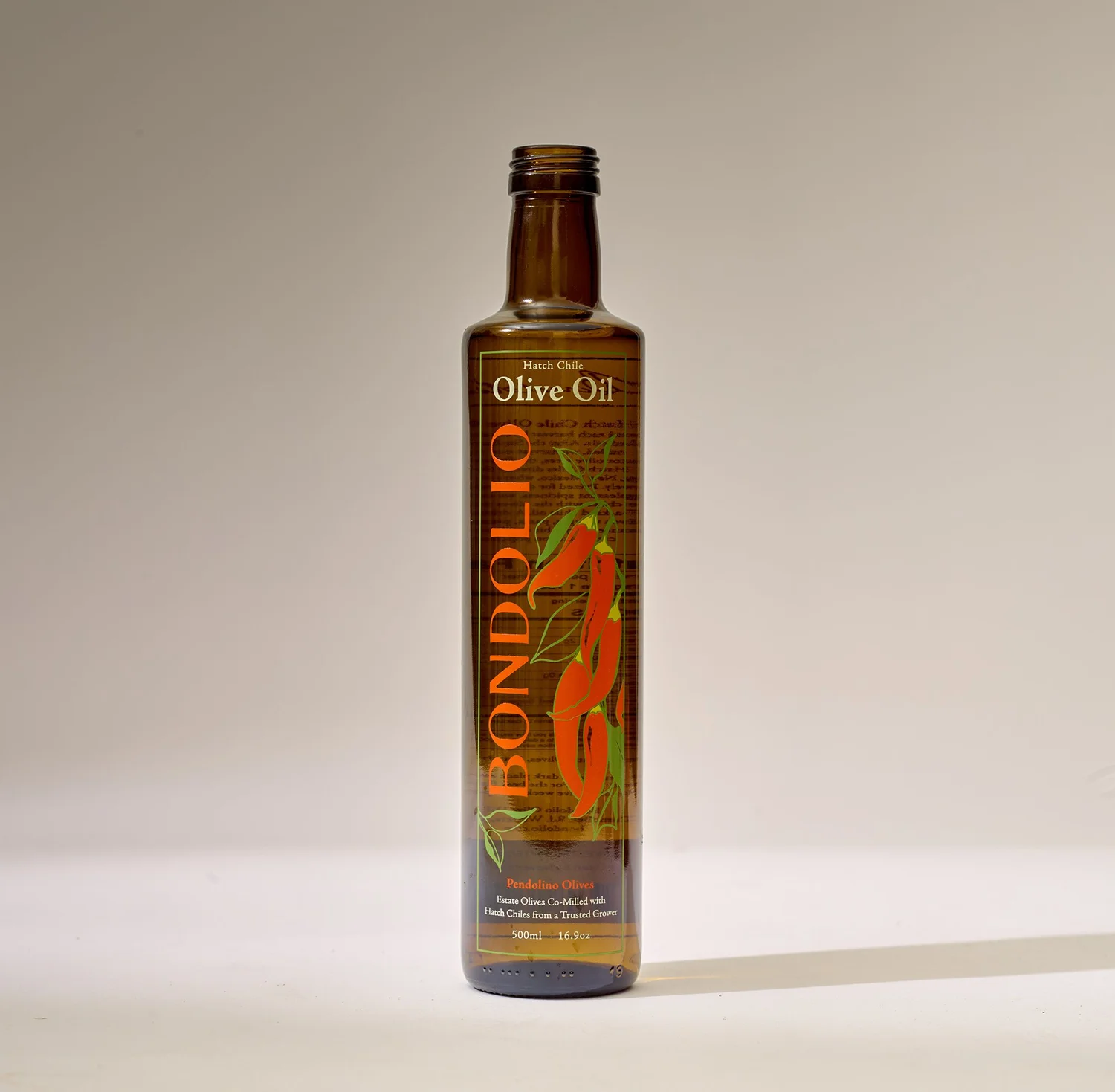
Drag the slider to compare before and after.